MVP / CORE PRODUCTS
Three HR products
Recruitment intelligence, role-based operations, and a policy-aware company assistant.
SELECTED WORK · PROJECT NOTES
Explore the ideas, features, and technology behind my main projects, then browse smaller builds at the end.
AI/ML INTERNSHIP · DEC 2025 — FEB 2026
Built and contributed to three connected products that support recruitment, internal operations, and company questions.
MVP / CORE PRODUCTS
Recruitment intelligence, role-based operations, and a policy-aware company assistant.
USP / DISTINCTIVE VALUE
AI-assisted candidate review and job content link to structured team workflows and context-aware answers.
THE WORK
My internship work covered NLP pipelines, AI inference, database connections, structured logging, and candidate-data analysis. The wider product set includes RossAI, the Ross Dashboard, and the Ross AI Assistant.
View letter of recommendation01 / FEATURES
02 / TECH STACK
Groq models include Llama 3.3 70B for deeper tasks, Llama 3.1 8B for faster responses, and Llama 3.2 Vision 11B for image CVs. The web app uses server-rendered HTML templates and a custom CSS theme.
Custom authorization tables for masters, managers, and recruiters support role-based access. Protected routes separate admin and team pages; database row-level security limits access to the right data.
A stateless chat endpoint combines the company prompt with recent conversation history. The client renders formatted answers in a chat widget.
03 / VIEW DOCUMENT
The internship recommendation letter is available below or as a separate PDF.
AI/ML DOMAIN WINNER · THIRD OVERALL · TECHVANZA ’26
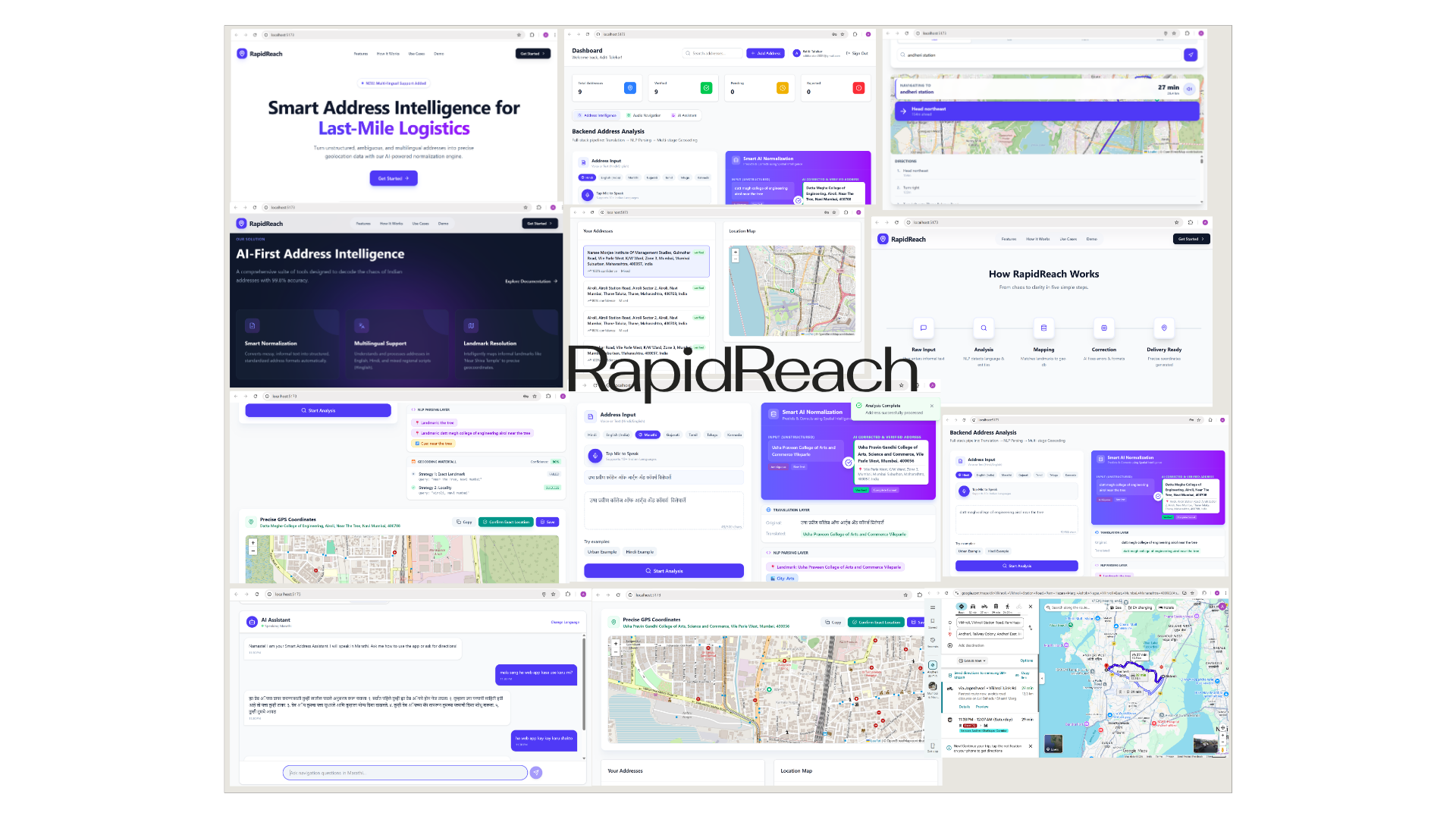
A multi-input navigation tool for vague, local directions. It turns spoken, written, or visual clues into clearer address details and map locations.
View RapidReach on GitHubMVP
Accept text, voice, or landmark images; normalize the address, resolve coordinates, and show the result on an interactive map.
USP
Combines multilingual directions, landmark understanding, and progressive fallbacks instead of depending on a perfect street address.
40+ TEAMS · 3 DOMAINS · 12+ HOUR SPRINT
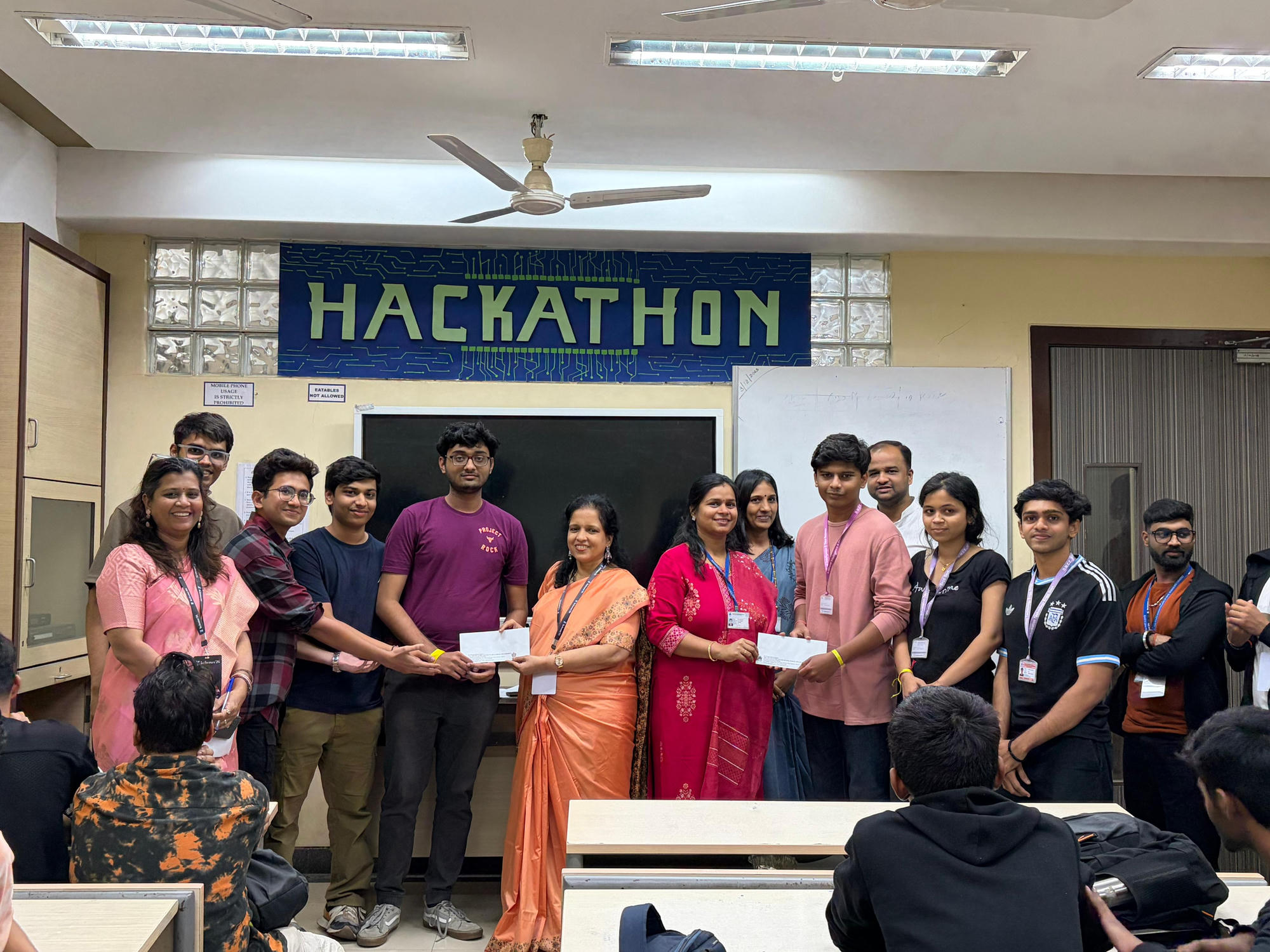
RapidReach won its AI/ML domain at Techvanza ’26, hosted by SVKM's Usha Pravin Gandhi College of Arts, Science & Commerce, and placed third overall.
01 / FEATURES
NLTK prepares informal directions; Llama 3.3 identifies suburbs, streets, house or building names, landmarks, and direction phrases such as “behind” or “opposite.” The result is organized into a clear JSON address.
Users can add a photo of a shop, sign, or nearby landmark. The vision flow reads visible names and numbers, then checks them against business listings and OpenStreetMap points of interest.
Voice input supports Hindi, Marathi, and English. It removes conversational filler while preserving the local direction phrases that help locate the destination.
02 / TECH STACK & APP
The React dashboard sends address, image, and voice requests to a Flask API, which manages session state, decodes audio, reads image data, and calls the relevant AI service.
Map layers show coordinates, bounding areas, and the final route or nearby anchor point for last-mile checks.
The dashboard compares raw directions with normalized address details and places the result on an interactive map.
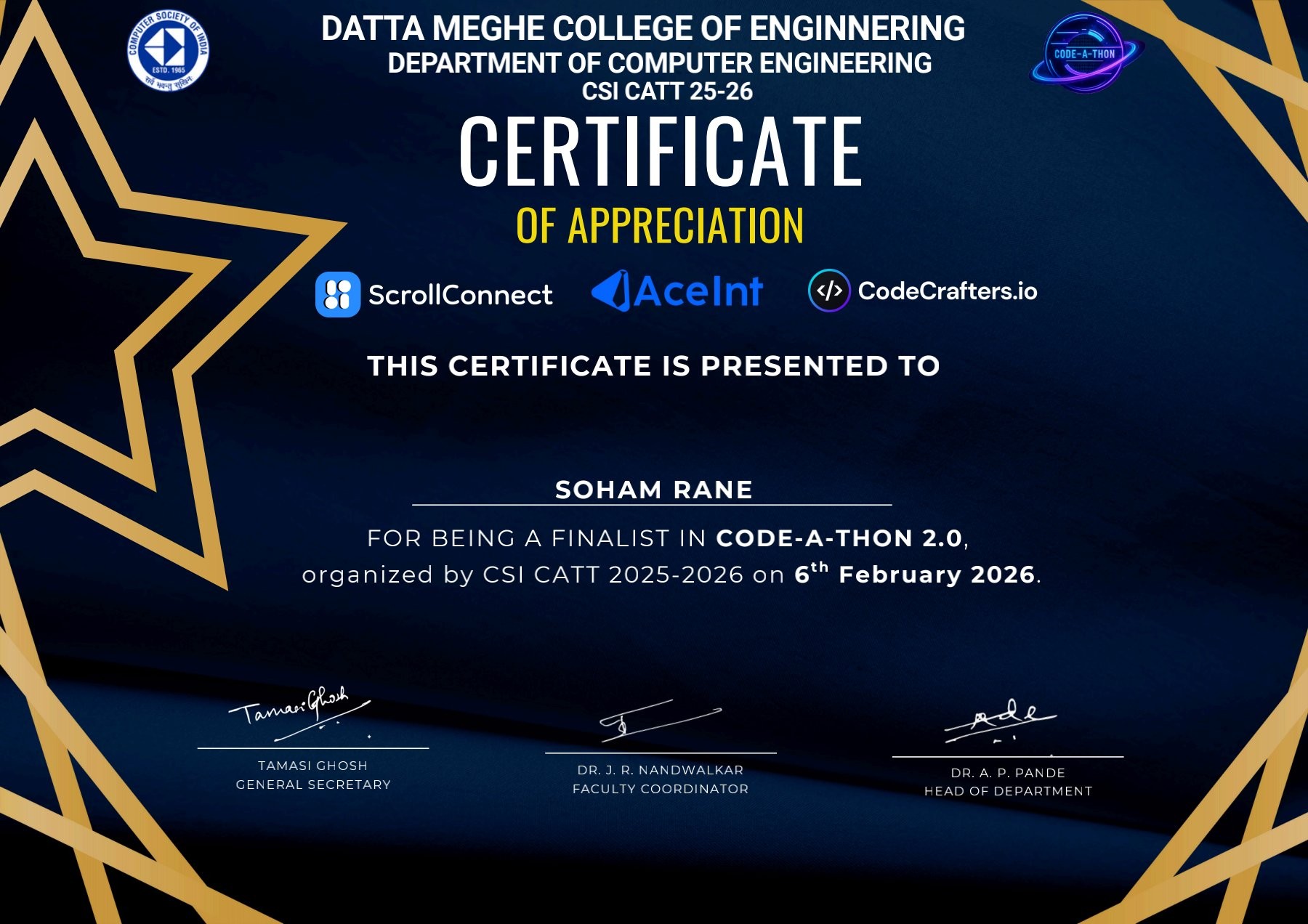
SPACE · EARTH DATA · AI · CODE-A-THON 2.0 FINALIST
A space and Earth intelligence platform that brings live science data, satellite and sensor readings, 3D views, and AI into one installable learning workspace.
View Beyond Horizon on GitHubMVP
Unifies satellite positions, launches, space weather, sky events, Earth observations, sensors, and learning in an installable web app.
USP
Pairs live public science feeds with local sensor readings, interactive 3D views, AI assistance, and gamified STEM learning.
01 / FEATURES
Combines ISS position and track, solar-weather alerts, launch countdowns, local sky conditions, and learning progress. Browser location and OpenStreetMap Nominatim help resolve a user's coordinates to a city, town, or suburb.
D3.js and Canvas animate landmass data. NASA SMAP soil moisture and Sentinel-2 NDVI support regional flood-risk and crop-stress views. NASA EONET provides disaster locations, while NASA GIBS adds layers such as active fires and night lights.
VirtualSky maps the sky using stereographic projection and local time or GPS. Astronomy calculations cover lunar phases, meteor showers, eclipses, twilight, and dark-sky conditions. Planet positions use orbital elements; conjunctions are found from angular separation.
Satellite.js uses SGP4/SDP4 with TLE data to calculate satellite position and velocity. ISS and N2YO services provide live positions and overhead passes. NOAA data tracks X-ray flares, K-index geomagnetic activity, aurora probability, and proton-flux storm levels.
GOES-R five-minute X-ray readings group flares into A, B, C, M, and X classes. K-index data feeds geomagnetic alerts and the Zhang–Paxton auroral oval; OVATION probabilities are drawn on the globe. Proton levels at or above 10 MeV are compared with NOAA S1–S5 storm bands.
An ESP32 reads temperature and humidity from DHT11 and air-quality readings from MQ135. It sends JSON to n8n, which checks and calibrates readings before saving them in Supabase. A sky-quality score weighs cloud cover (50%), humidity (30%), and air quality (20%).
Groq-hosted Llama 3.3 provides a conversational astronomy guide, with separate friendly and mission-control voices. Groq Whisper transcribes speech; browser speech tools can read answers aloud. Vision models analyze astronomy photos, identify objects, and return details such as distance and scale.
The assistant can return a hidden navigation command to open and highlight a mission. The vision flow uses Groq-hosted Llama 4 Scout, with Llama 3.2 Vision 11B or 90B alternatives, to inspect astrophotography, recognize objects such as the Orion Nebula, return distance and scale, and award 50 XP for a successful observation.
Space Devs launch data uses a SpaceX API fallback. Spaceflight News includes an ISRO-priority search. Historical Apollo and Voyager records appear beside current missions; NASA APOD uses API, RSS, and page-feed fallbacks.
Launch payload names such as Falcon 9 and Starlink can map to local mission art. The Discover area can also show current people in orbit and a random planet's surface gravity. APOD's fallback checks its API, RSS, then a proxy of NASA's APOD page.
Cadet, Specialist, Officer, Commander, and Admiral ranks guide learning. Quizzes award 10 XP per answer; modules and image scans award 50 XP. Supabase stores profiles, missions, progress, subscriptions, and earned badges.
Badges are saved to user profiles, and fuzzy matching can recognize space-station and orbital-module images. The rank path connects lessons, quizzes, and observation tasks to stored progress.
The product concept includes a free Cadet plan, a Commander / Pro plan at $4.99/month with extra alerts and offline features, and a proposed classroom plan for educator access to student progress. Future ideas include telescope links and a cleaned-up space-data API. The technical plan estimates an MVP at about $75/month and describes adding Redis caching and dedicated cloud resources as use grows.
02 / TECH STACK
An installable PWA uses vite-plugin-pwa to cache core assets for offline use. Interface state uses React; shared audio and session state use Zustand and Context.
Demand rendering, lazy texture loading, and instanced geometry help keep the 3D experience efficient. Sky, Earth, and planetary views use separate visual modules.
Accessible Radix tabs, progress bars, and dialogs support navigation. Drei places React tooltips over 3D scenes; other modules include a VirtualSky planetarium, a fluid cursor, and animated aurora effects. The technical design uses pixel-ratio and shadow controls, sRGB color, and view-based loading for larger visual libraries.
Supabase provides database, authentication, row-level access, and real-time alerts. Edge functions support chat and subscription tasks; the ESP32 sends local environment telemetry through n8n.
Other calculations include Haversine distance from eclipse paths, aurora overlays, lunar and solar events, air quality, temperature anomalies, and local visibility measures.
PostgreSQL row-level security checks JWT role claims for Cadet, Commander, and Admiral access. Supabase Realtime broadcasts global alerts and private achievements over separate channels. TypeScript/Deno edge functions handle AI chat and subscription tasks.
The visual system pairs midnight blue and near-black with bright blue and alert red. Glass panels sit over animated starfields and globes; reduced 3D work, one-draw-call instancing, lazy 4K/8K textures, and view-based module loading help keep the interface responsive.
Open-Meteo and OpenAQ provide clouds, PM2.5, and NO₂. The Global Warming API supplies monthly temperature anomalies against a 1951–1980 baseline. SunCalc estimates civil, nautical, and astronomical twilight, including true-dark conditions when the Sun is 18° below the horizon.
GitHub Actions is set up for linting and tests, Vercel preview builds, and Supabase SQL migrations. Sentry and Core Web Vitals are used to track errors and page performance. A future scale plan adds Redis caching for NOAA and Groq results and moves to larger hosting/database resources when needed.
FINAL-YEAR PROJECT · SECURITY RESEARCH · IJCRT
An open-source, real-time traffic monitoring system that uses packet-level statistics to flag unusual traffic and respond to suspected denial-of-service attacks.
MVP
Monitor packets, detect unusual source rates, block suspicious traffic, and record events in an operator dashboard.
USP
Pairs per-IP rate checks with Z-score analysis, using lightweight packet tracking and immediate mitigation rather than fixed rate limiting alone.
RESEARCH PAPER
The project combines a Flask dashboard with packet capture and statistical traffic checks. The published paper describes its packet flow, detection approach, and performance evaluation.
Read the IJCRT paper01 / FEATURES
WinDivert captures incoming and outgoing packets. The monitoring layer records source and destination IP, TCP/UDP/ICMP protocol, packets per source over a sliding time window, and total packets per second.
The system tracks normal packet volume over time and watches for sudden changes. Per-source packet rates help separate a busy address from unusual request bursts.
Threshold checks flag a source when its packet rate exceeds a set limit. Z-score analysis checks whether traffic differs sharply from the current baseline, helping identify distributed spikes that can evade a single fixed limit.
Suspicious packets are dropped, the source IP is added to a block list, and later requests can receive HTTP 403. The dashboard updates blocked-source counts and recent event records.
The development workflow moves from setup and configuration to controlled traffic testing with simulate_attack.py, then to live detection and response.
The Nexus Dashboard shows requests per minute in a Chart.js graph, the number of blocked targets, and an incident log with time, source address, attack label, and action status. A security feed provides additional context for operators.
Traffic patterns include volume-based UDP and ICMP floods as well as application-level HTTP floods and Slowloris-style slow requests. Combining packet-rate limits with baseline statistics avoids depending on a fixed rate limit alone.
The report describes quick detection and low response delay compared with signature-only firewalls. Immediate filtering is intended to reduce load on the protected service while keeping ordinary traffic flowing.
02 / DESIGN & TECH STACK
The Flask service supports operator sign-in, the monitoring dashboard, event logs, and system status.
Source addresses are tracked in a hash map. For a time window t, the source rate is its packet count divided by t; a rate above threshold T is flagged. The stated processing cost is O(n) time for n packets and O(k) space for k active source IPs.
The Nexus Authentication screen opens the operator session. Suspicious activity is visible alongside recent traffic and mitigation actions.
THIRD-YEAR MINI PROJECT · COMPUTER VISION · ASSISTIVE TECHNOLOGY
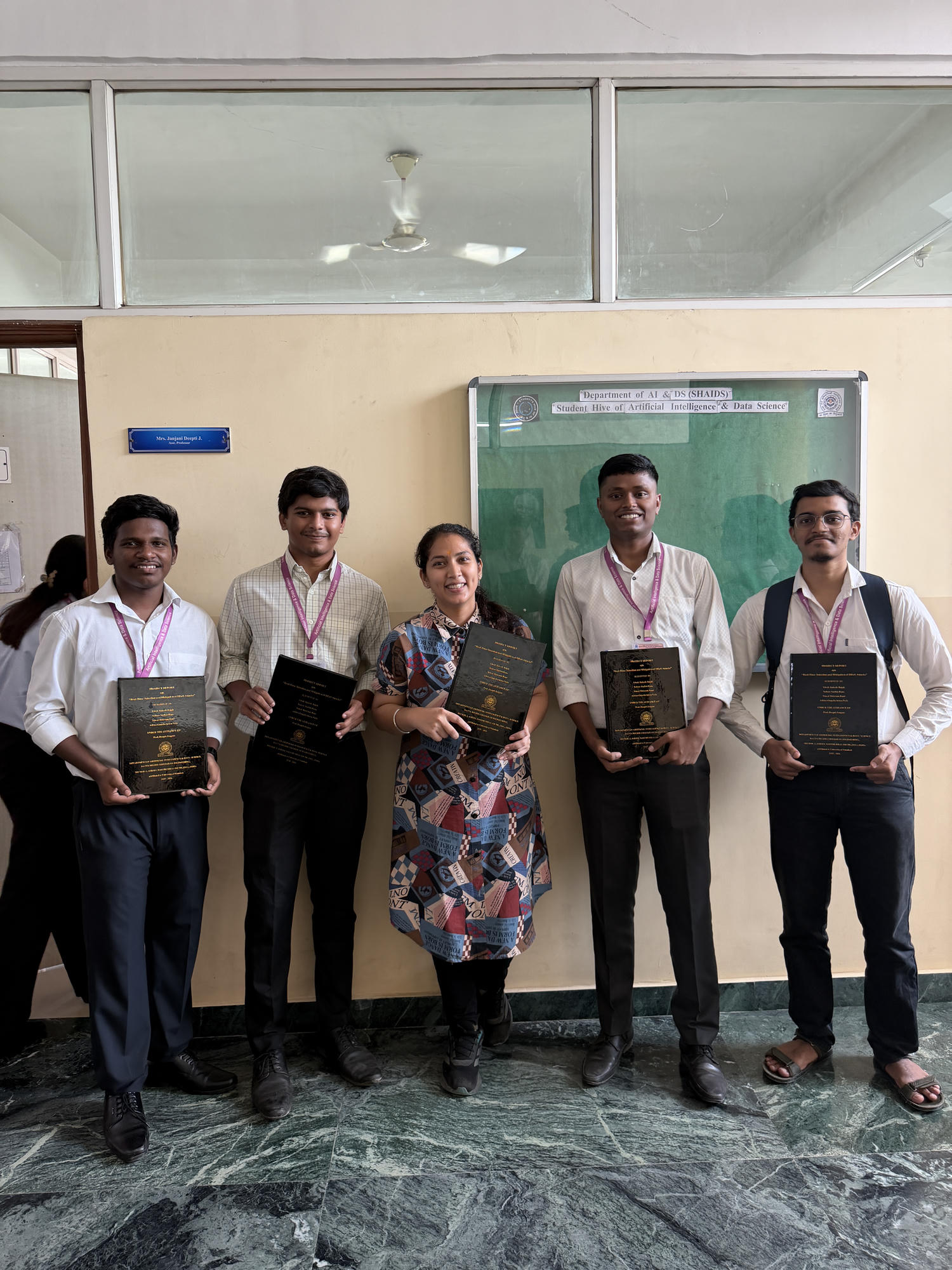
A webcam-based gesture recognition prototype that translates a small set of Indian Sign Language gestures into on-screen text and spoken output. Developed with Vivek Rajak, Mandar Salvi, and Vansh Wase under Prof. Deepti Janjani.
MVP
Capture a hand gesture from a standard webcam, classify it, display the recognized label, and speak the result aloud.
USP
Combines live gesture-to-text and speech output with an offline speech option, using a standard webcam rather than specialized equipment.
01 / FEATURES & WORKFLOW
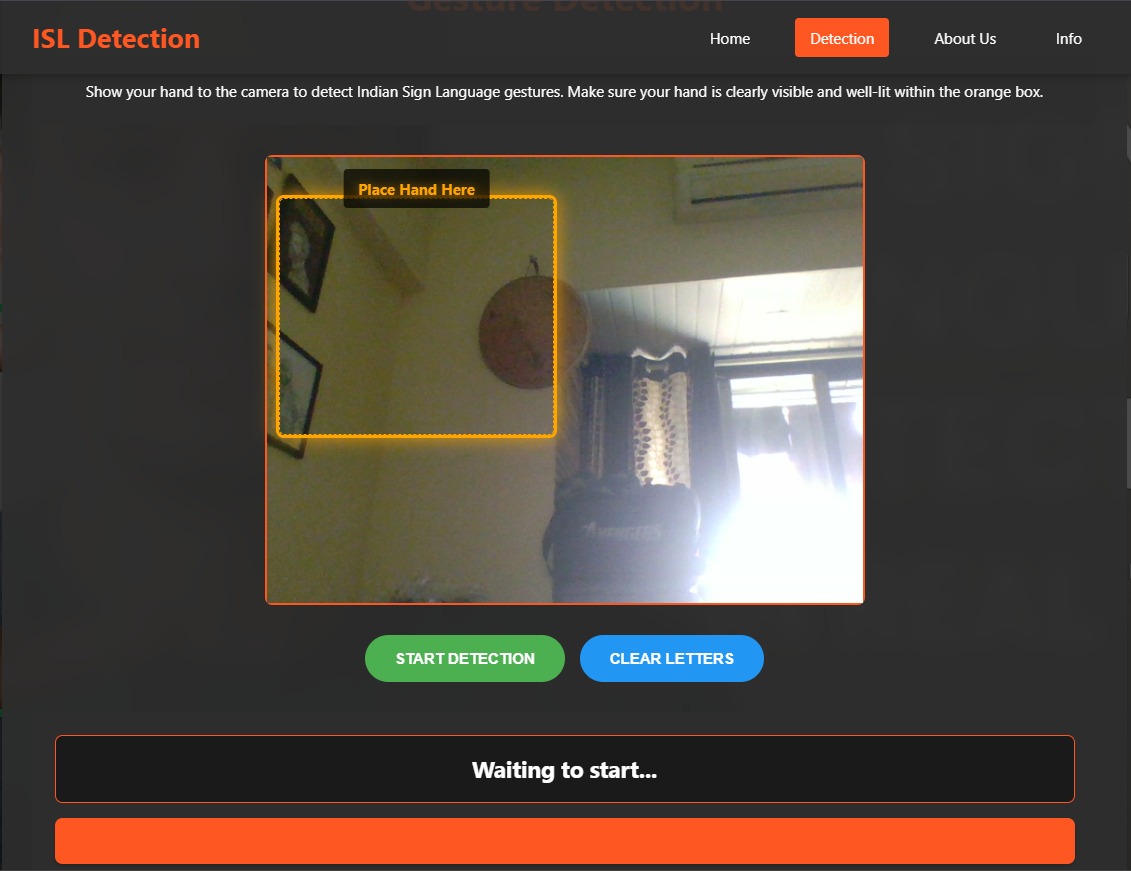
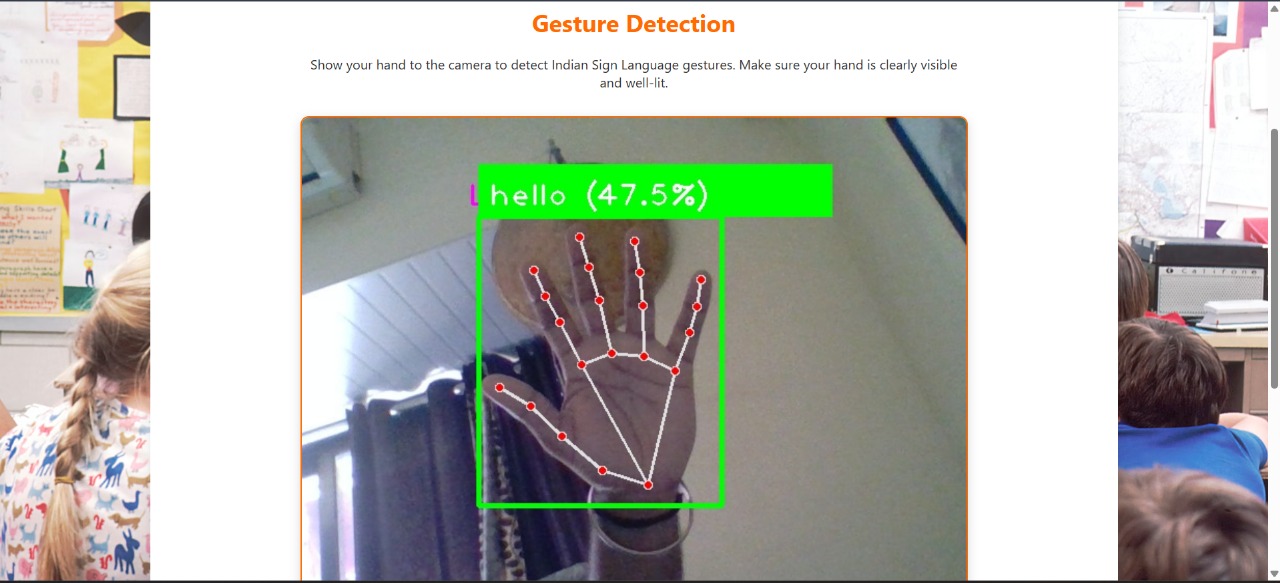
The React interface uses a webcam feed. It captures frames and sends them to the Flask API for processing and prediction.
OpenCV converts each frame from BGR to RGB, resizes it to 64×64 or 128×128, and applies Gaussian blur to reduce camera noise. Contour detection, background subtraction, and Sobel or Canny edges are optional processing steps.
The report describes a scikit-learn Random Forest classifier with 100 trees. Preprocessed pixels become a one-dimensional feature vector; the predicted label is returned to the interface.
Recognized gestures appear as text and can be spoken with pyttsx3 for offline use or gTTS for online speech. The audio is played through playsound.
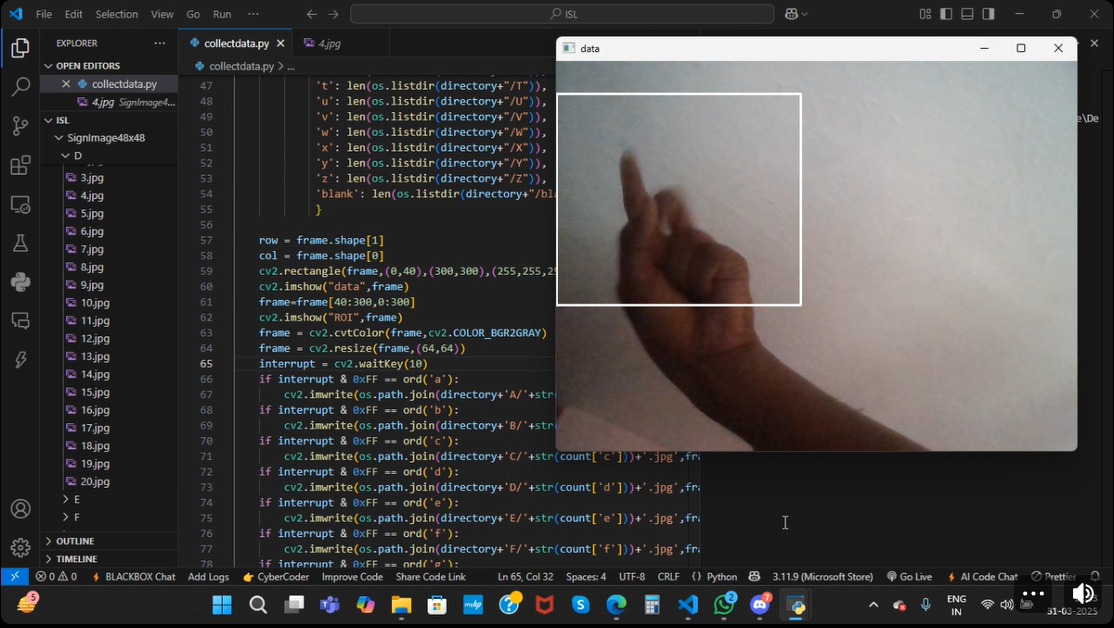
A custom OpenCV script displays a 300×300 region of interest. Keyboard input captures, converts, resizes, and saves gesture samples into labeled folders for model training.
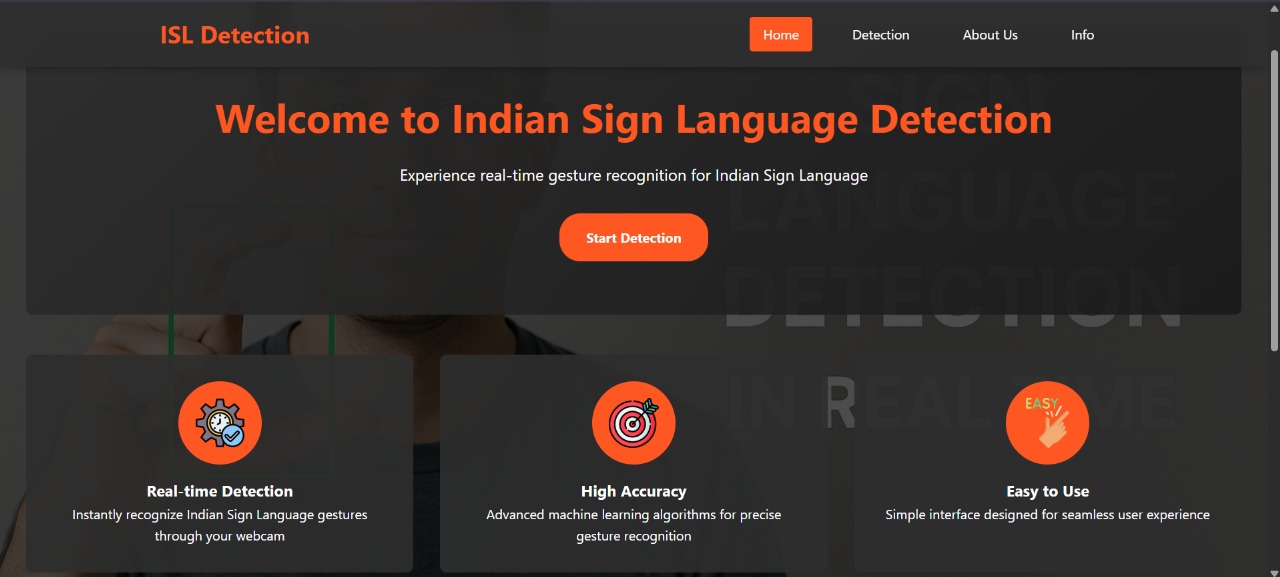
The dark interface uses orange accents and a hand-placement guide. During detection, hand landmarks are drawn with red points and white connecting lines, with a green bounding box, predicted label, and confidence value. Controls start detection or clear the displayed letters.
The reported classes are A and B (300 images each), plus Hello, Yes, and No (400 each). The report describes flip, rotation, zoom, and brightness augmentation, an 80/20 train/test split, and about 92% test accuracy for this known gesture set. It reports typical processing below one second per frame.
02 / TECH STACK
The browser captures camera frames and sends them to the backend using repeated POST requests.
Flask receives frames, runs preprocessing and classification, then returns the recognized gesture for display and speech.
The documented classifier uses 100 estimators. Speech can run offline with pyttsx3 or use the online Google Text-to-Speech service.
The report targets Windows 10, Linux, or macOS and Chrome, Firefox, or Edge. It requires no specialized camera or glove.
03 / PROJECT REPORT
Full report covering the literature survey, system design, implementation, results, and future scope.
MORE BUILDS · EXPLORATIONS
Smaller applications and experiments live here, keeping the homepage focused on the main work.
COMPUTER VISION
A plant disease classifier paired with a web interface for trying image predictions.
View on GitHubMACHINE LEARNING
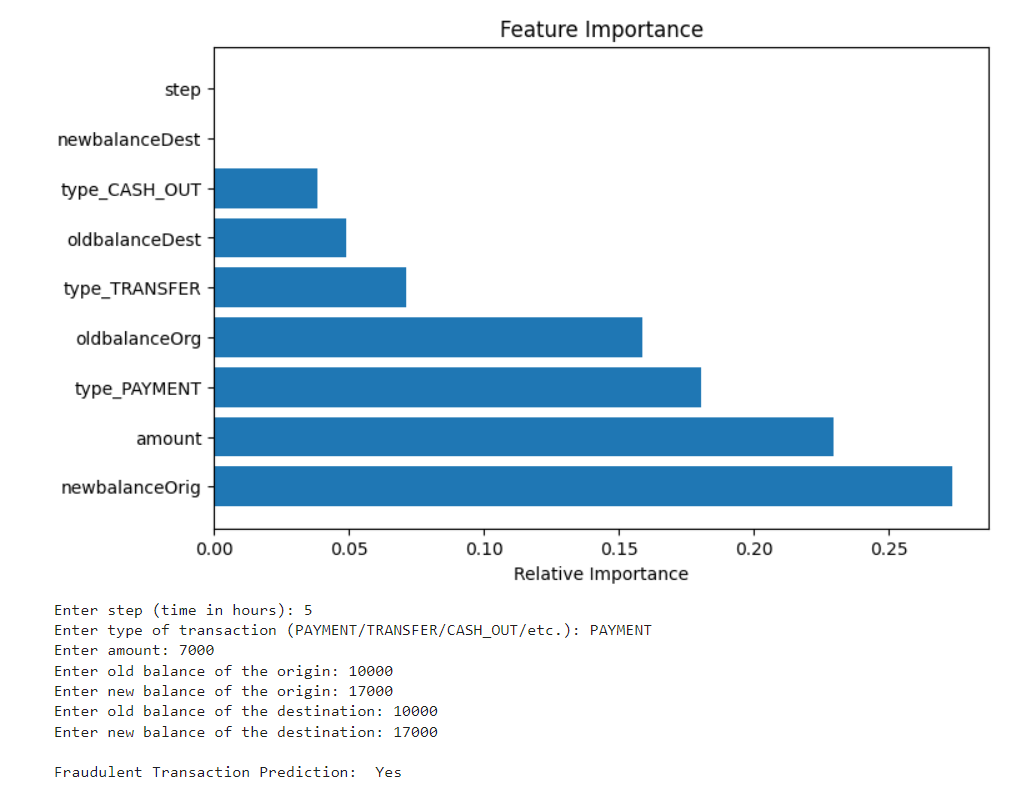
A classification workflow for finding suspicious transactions and checking results with precision, recall, F1, and ROC-AUC.
 View project
 DATA SCIENCE · R
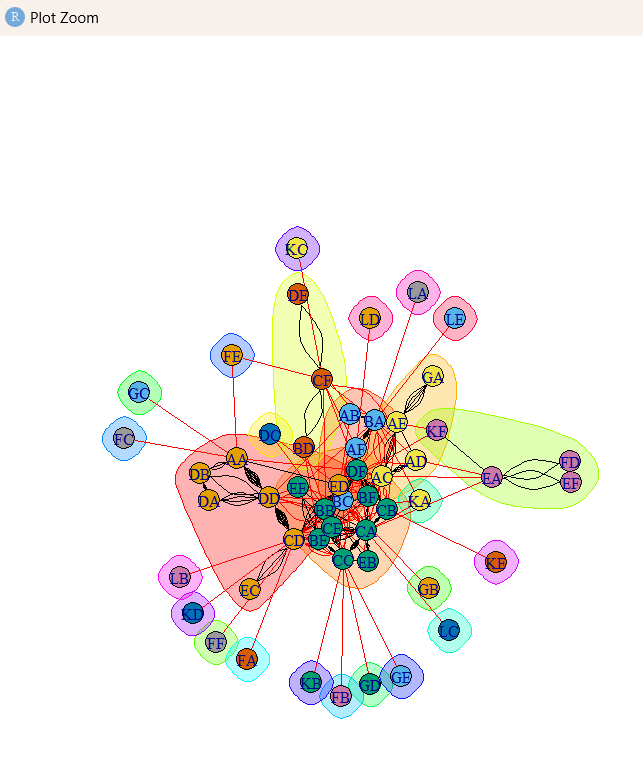
Network graphs, centrality and hub scores, and community detection to explore connections and influential nodes.
 View project
 MACHINE LEARNING
A small machine-learning experiment that classifies Iris flowers from measured features.
View projectWEB DEVELOPMENT
A simple browser game built to practice interactive user interfaces and game logic.
Play the gameCLOUD · COMPUTER VISION
A guided computer-vision project using Microsoft Azure services.
View project certificate